
Voice is an alternative input path, not a speed feature
The case for a spoken path into your app, argued from the curb-cut effect, WCAG 2.2 and what screen reader users actually report.
About this article
An in-app agent adds a second way to reach a task, for people the touch interface fails. WHO counts 1.3 billion people with significant disability, and WebAIM's 2024 survey found 91.3 percent of screen reader users using one on a phone. Treating that path as a convenience feature is how it gets built badly.
Voice gets sold as a speed feature, and as a speed feature it is unconvincing. Most people can tap through a familiar app quickly, and a spoken request that takes three seconds to say and two to answer has not obviously improved their day.
The argument that holds up is a different one. A spoken or typed request is a second way into the same functionality, and there are a lot of people for whom the first way does not work. Everything about making that path usable applies here twice over, because the people who need it most have the least tolerance for a feature that half works. The World Health Organization estimates 1.3 billion people, 16 percent of the world’s population, live with a significant disability. That is the population your touch interface is the sole front door for.
The curb-cut effect, and why the order matters#
The canonical version of this story is concrete. In the early 1970s disability activists in Berkeley poured their own ramps at street corners; the city installed its first official curb cut in 1972. Angela Glover Blackwell’s account in the Stanford Social Innovation Review records what happened next. Curb cuts got used by people pushing strollers, workers with hand trucks, travellers with wheeled luggage, cyclists. Observers at a Sarasota shopping mall found that nine out of ten unencumbered pedestrians went out of their way to use one.
The sequence is the instructive part. Nobody designed curb cuts as a convenience for luggage. They were built to remove one specific barrier, and the general benefit followed. Software features designed the other way round, as a shortcut for everyone, tend to be shallow: they handle the happy path, skip the cases that are hard, and quietly fail the people who needed them most.
Microsoft’s inclusive design work states the principle as “solve for one, extend to many”, alongside the observation that everyone has abilities and limits. Build the spoken path for the user who cannot use the keyboard, and it will work for the user holding a child.
Who the touch interface fails#
It helps to be concrete about who “cannot use the keyboard” describes, because the category is wider than the word disability usually evokes in a planning meeting.
WebAIM’s tenth screen reader survey, run in December 2023 and January 2024 with 1,539 respondents, found 91.3 percent using a screen reader on a mobile device, and 58 percent preferring mobile apps to websites for tasks like banking and shopping, up from 51.8 percent in 2021. That population is in your app, on a phone, with a screen reader running.
Beyond that group sit people with tremor or limited fine motor control, for whom precise tapping is the barrier rather than seeing. People with short-term memory difficulty, for whom a five-step flow is five chances to lose the thread. People with low literacy, who are a larger population than most product teams assume: UNESCO’s global education monitoring work records adult literacy rising from 81 percent in 2000 to 87 percent in 2020, which leaves roughly one adult in eight outside it. And people whose situation is temporary or momentary, which is everybody eventually.
What an agent does that a screen reader cannot#
This is the distinction the older framing missed. A screen reader reads your interface aloud and lets the user drive it. It is essential, it is not optional, and it does not remove the navigation.
A blind user reordering groceries with VoiceOver still has to traverse the path: find the orders tab, find last week’s order, find the reorder control, work through the confirmation. Every screen you built, in sequence, spoken. An agent collapses that to one request and one confirmation, because it goes to the operation rather than to the screen that hosts the operation.
Both things are true at once, which is why this is an addition rather than a replacement. Your app still needs labelled controls, focus order, contrast and every other thing an audit checks. The agent path is a shortcut through a building that still has to be navigable.
The criteria this actually touches#
Three parts of WCAG 2.2 are where a task-level path changes the work rather than just decorating it.
Accessible Authentication (Minimum), SC 3.3.8 at level AA says no step of authentication may require a cognitive function test unless an alternative is available. Remembering a password is a cognitive function test. Blocking paste in the field, which apps do routinely in the name of security, is a failure. Biometric verification is one of the listed alternatives, which is convenient, because it is also how a well-built agent gates a money-moving action.
Redundant Entry, SC 3.3.7 at level A requires that information already given in the same process be auto-filled or offered for selection rather than retyped. The Understanding document names short-term memory difficulty and mental fatigue as what it protects against. A conversation that carries context from one turn to the next satisfies this by construction, which is a rare case of the accessible implementation being the lazy one.
Target Size (Minimum), SC 2.5.8 at level AA sets 24 by 24 CSS pixels as the floor for pointer targets, naming tremor, fine motor difficulty, one-handed use and moving vehicles among its beneficiaries. This one cuts the other way and is worth saying plainly: every widget an agent draws at runtime is bound by it exactly as much as a screen you shipped in the binary.
That last point is the strongest practical argument for a fixed widget catalogue over free-form generated markup. If the agent can only draw components you have already audited, the conformance of an answer you have never seen is something you can reason about. If it can emit arbitrary layout, it cannot.
What to build, in order#
Start by picking the three tasks users contact support about most often, which are usually the ones buried deepest. Those are the ones worth reaching directly.
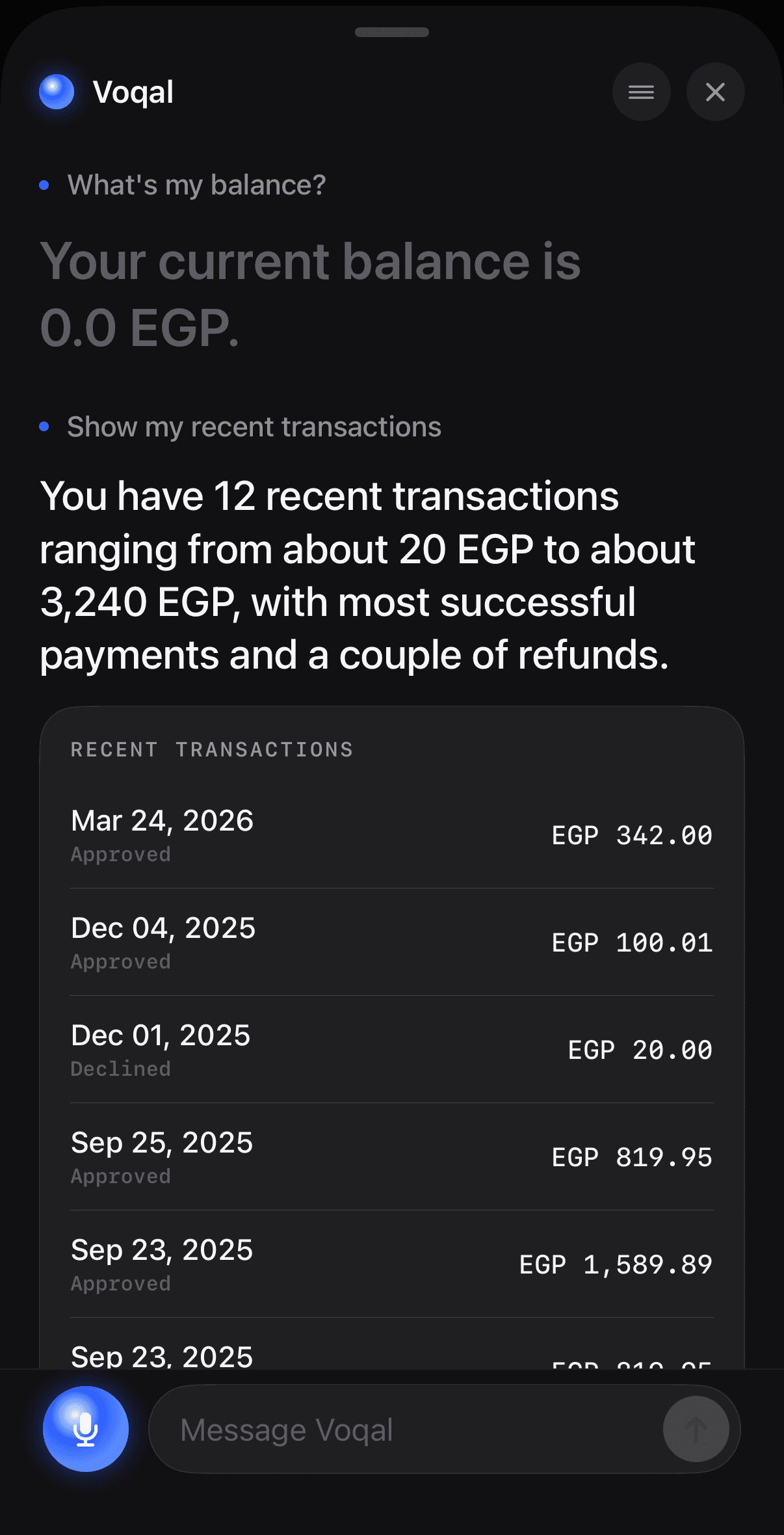
Write the spoken answer before the visual one. If the answer does not work as speech, the widget is carrying meaning the text has left out, and a screen reader user will get the worse version of it.
Make the agent reachable by typing as well as speaking. Speech is unusable for people with speech impairments, unreliable in a loud room, and socially impossible in an open-plan office. A text field into the same agent costs almost nothing and roughly doubles who can use it. The question of when voice is the right mode at all deserves its own answer, and it is not always yes.
Then audit the widgets, not just the screens, and put the confirm step in front of anything irreversible.
Two related pieces go deeper than this one, and a third takes the argument into a setting where it is load-bearing: a patient app, where the users who benefit most from a spoken path are also the ones a failed turn costs most. Why conversational interfaces work better for older users than teams expect covers the cognitive-load argument and the adoption data that complicates it. The measured cost of phone typing covers input speed, and the scripts where a keyboard is a wall rather than an inconvenience. The documentation covers the integration.
Sources#
- World Health Organization. Disability and health fact sheet, 7 March 2023. Accessed 12 September 2026.
- Blackwell, A. G. The Curb-Cut Effect, Stanford Social Innovation Review, Winter 2017. Accessed 12 September 2026.
- WebAIM. Screen Reader User Survey #10 Results, surveyed December 2023 to January 2024, 1,539 respondents. Accessed 12 September 2026.
- Microsoft. Inclusive Design. Accessed 12 September 2026.
- UNESCO. Literacy and adult learning, Global Education Monitoring Report. Accessed 12 September 2026.
- W3C. Understanding SC 3.3.8: Accessible Authentication (Minimum), WCAG 2.2. Accessed 12 September 2026.
- W3C. Understanding SC 3.3.7: Redundant Entry, WCAG 2.2. Accessed 12 September 2026.
- W3C. Understanding SC 2.5.8: Target Size (Minimum), WCAG 2.2. Accessed 12 September 2026.
Next
The reference for what this post describes.
Read the docsThe rest of Voice
Open the clusterLatency budgets, barge-in, turn-taking and the parts of a voice pipeline that are somebody else's server rather than your code.
- Designing an agent conversation people can actually useThe seven decisions that make or break a conversational feature: discoverability, endpointing, barge-in, errors, confirmation, latency and the visual answer.11 min
- Conversational interfaces and older users: the real tensionWhy asking for a task costs older users less than navigating to it, and why the same people are least likely to have tried an AI product.8 min
- How fast does a voice agent have to be? A latency playbookWhere a spoken turn's milliseconds go, what the turn-taking research actually measured, and which tactics shorten which segment of the budget.9 min
- What barge-in really costs, and how we pay for itServer-side turn detection decides when an agent should stop talking. The client decides whether it actually does, and that is where it breaks.11 min
- An in-app agent is an accessibility feature, narrowlyAn agent that completes a task is an alternative input path, and one WCAG 2.2 criterion turns the biometric confirm into an accessibility win rather than a tax.10 min
Elsewhere on the map
- Voice or chat: picking the mode for the taskSpeaking and typing are two inputs to the same agent. The situation the user is in decides which one wins, and four of those situations are predictable.Agent basics9 min
- Using an agent to get a user to first valueOnboarding leaks where people have to type. An agent can collapse setup into one request, and there are four kinds of friction it genuinely cannot touch.Business8 min
- When voice actually works in an app, and when it doesn'tAn honest framework for deciding which tasks belong to a spoken path, which belong to text, and which should stay on the screen.Agent basics8 min