
Connect an AI agent to the backend you already run
You do not need a new API surface for an agent. You need to describe the one you have, and decide what it is never allowed to touch.
About this article
An in-app agent does not need a new API. It needs a description of your existing endpoints as tools, credentials scoped to the signed-in user, and an explicit list of what it may never call. Model Context Protocol is one standard way to write that description, and the work is deciding what to leave out of the schema rather than what to expose.
The question that comes up on every scoping call is some version of “so what do we have to build on our side?” The expected answer is a new agent-facing API, a fresh set of endpoints, a data layer rewrite. The real answer is duller and better: describe what you already have, and be precise about what the agent must never reach.
Your backend is already the tool set#
An agent needs three things from your side. A description of the operations it may call, in a form a model can read. Credentials scoped to the signed-in user, so the agent can only ever see what that person can already see. And an explicit list of the operations it may not call, enforced where the model cannot argue with it.
None of those is a new API. The endpoint that powers your account screen is the endpoint that answers “what’s my balance”. The endpoint behind your order history is the one behind “where’s my delivery”. You are writing descriptions, permissions, and a refusal list.
What MCP is, pinned to a revision#
Model Context Protocol is “an open-source standard for connecting AI applications to external systems”, and its own documentation offers the analogy that MCP is “like a USB-C port for AI applications” (modelcontextprotocol.io). The shape is three roles over JSON-RPC 2.0: hosts, which are the applications that initiate connections; clients, which are connectors inside the host; and servers, which provide context and capabilities.
Pin the revision every time you write about it, because the two current revisions disagree on things people state as timeless. Revision 2025-06-18 describes the base protocol as having “stateful connections” with “server and client capability negotiation”, and lists three client features: Sampling, Roots and Elicitation. Revision 2026-07-28 describes the base protocol as “stateless, self-contained requests” with “per-request capability negotiation”, narrows client features to Elicitation alone, and adds an Extensions layer covering Tasks, Skills over MCP, and MCP Apps (2025-06-18, 2026-07-28).
Both revisions carry the same security language, and it is the sentence to build around: tools “represent arbitrary code execution and must be treated with appropriate caution”, and “descriptions of tool behavior such as annotations should be considered untrusted, unless obtained from a trusted server.” Your own server is a trusted server. The posture only holds while that stays true.
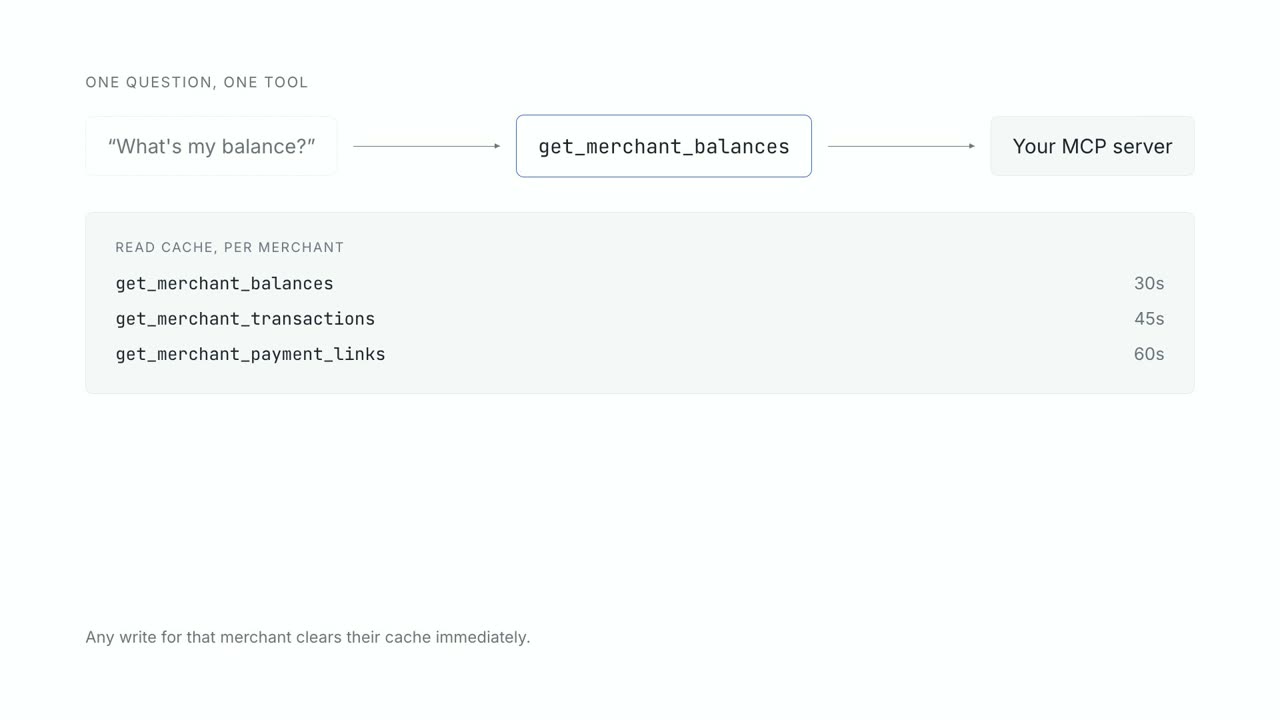
Describing an endpoint as a tool#
A tool description is a name, a sentence about when to use it, and a JSON schema for its arguments.
The model reads that and nothing else. It cannot see your handler, your database, your naming
conventions, or the Confluence page explaining why status has seven values.
Two vendors have converged on a practical ceiling for how many of these to expose at once. OpenAI advises: “Aim for fewer than 20 functions available at the start of a turn” (function calling guide). Google advises: “Keep active set to 10-20 tools maximum” (Gemini function calling). Two independent vendors landing on the same band is about as close to a sourced number as this field gets, and the rest of tool design follows from it.
Leaving things out is the work#
Exposing an endpoint is a morning. Deciding what the schema hides is the part that takes real thought, and it splits into three kinds of omission.
Parameters that encode internal mechanics, such as pagination cursors, shard keys and partner identifiers, should be filled by your handler rather than offered to the model. Anthropic’s guidance is to poka-yoke the schema: “Change the arguments so that it is harder to make mistakes” (Building effective agents, 19 December 2024).
Parameters that let a caller widen their own scope should not exist at all. If a tool takes a
merchant_id, then the correctness of every answer depends on the model passing the right one. Take
it from the credential instead, so passing the wrong one is not expressible.
And entire operations belong off the list. Anything that deletes, anything that changes permissions, anything that touches another user’s data. This is not a prompt instruction. It is a list the runtime consults before dispatch. Everything that writes at all goes through a confirmation the model cannot reach around.
The token is the user’s, not the agent’s#
The authentication model that works is the least interesting one: the app already holds a token for the signed-in user, and that token is what reaches your service. The agent runtime is a carrier.
In our own SDK the app supplies it through a delegate method on every request rather than once at setup, so a refreshed token is picked up without reinitialising anything, and a signed-out user stops having access immediately. The runtime signs its own session separately, bound to a key in the device’s secure element, so a stolen session token is not replayable from somewhere else.
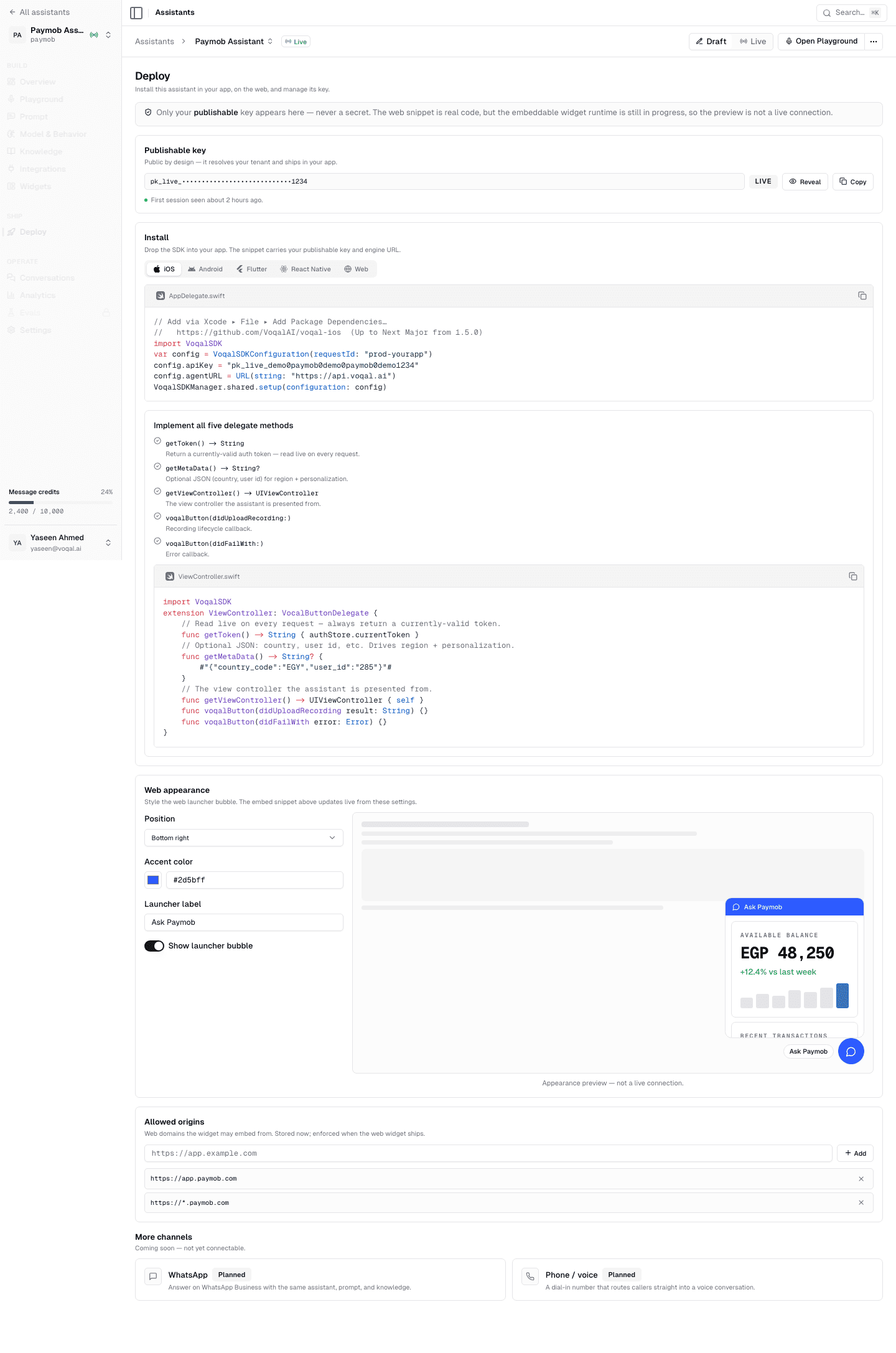
What this buys you is that the blast radius of a confused agent is exactly one user’s own permissions. That is a much easier thing to reason about than a service account with a broad scope and a prompt asking it to behave.
Per-tenant connections, and what breaks at scale#
This is the part nobody warns you about, and it is where the latency lives.
An MCP connection is not free to open. In our own measurements, a raw sequence of initialize, list_tools and one call against a production tool server runs around 2.6 seconds, and building the tool bindings through the agent framework adds roughly 2.4 seconds on top. That is a cold turn before the model has generated a token.
So connections are pooled, and the pool key is the interesting design decision. Ours is keyed by environment, country and a hash of the user’s token, because those three together determine which tools exist and what they return. Idle connections are evicted after ten minutes; a turn that never returns is reaped after thirty. The cap is 32 live connections per process.
Two consequences worth planning for. A restart empties the pool, so the first turn after every deploy is slow for whoever gets it, which is why there is a prewarm call that opens the connection and primes the model’s prompt cache before the user has asked anything. And your tool server needs to tolerate many short-lived connections from one origin, which is a load shape most internal services have never seen. Where the rest of the seconds go is its own post, with the measured breakdown.
Two neighbouring decisions have their own write-ups. Whether to reach your tools over the Model Context Protocol or over plain HTTP matters less than teams expect and is worth settling early anyway. And the layers between a microphone and a tool call are what decides whose credential the request carries, which is the one architectural choice that is expensive to change later.
What an afternoon actually gets you#
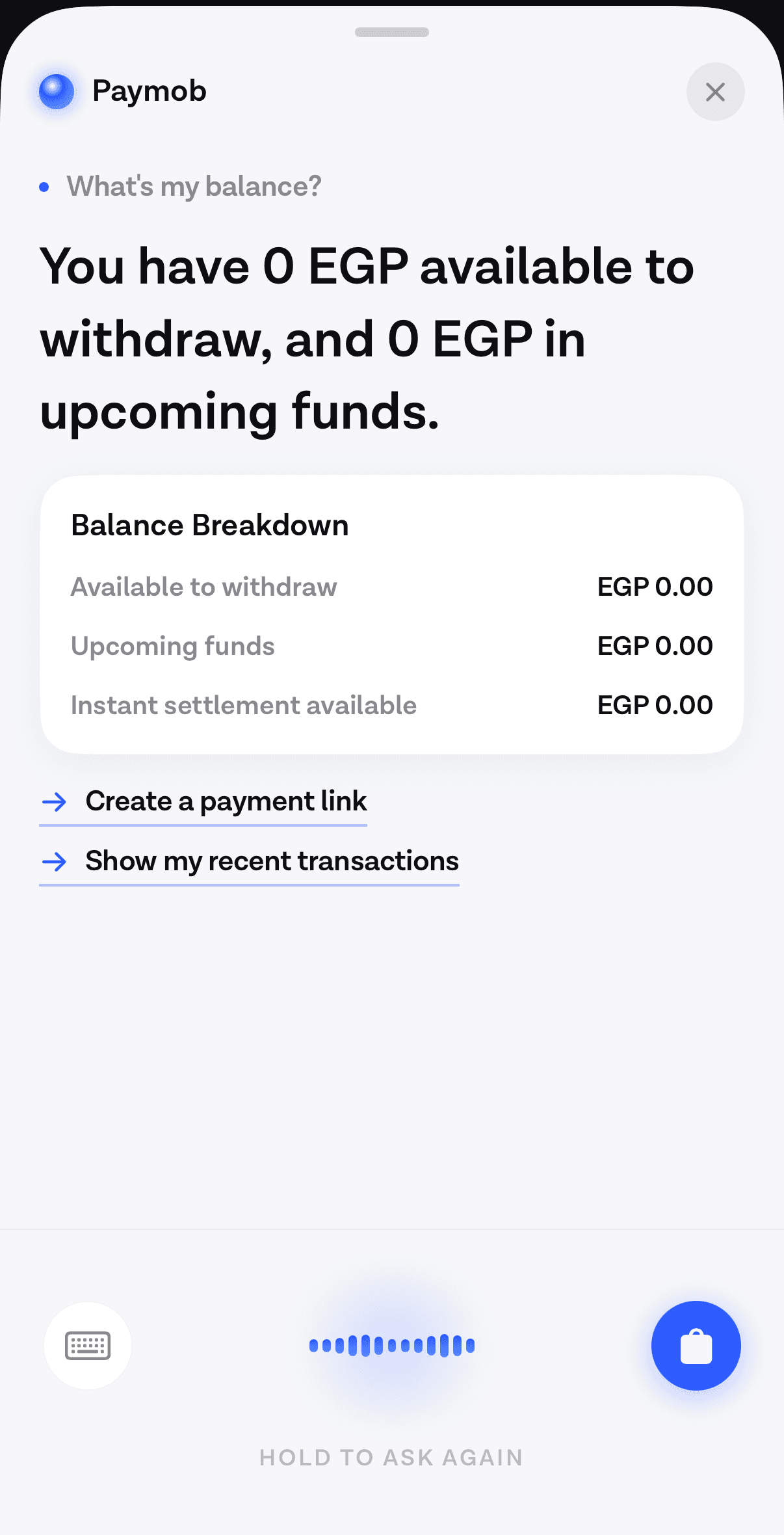
An afternoon gets you read-only. Three or four endpoints described as tools, a token path that works, and an agent that can answer real questions about the signed-in user’s real data. That is a genuinely useful demo and it is honestly achievable in a session.
What it does not get you: the write path, which needs the confirm gate and a tiering decision per tool. The failure copy, which needs to have met real failures. The tool-surface revisions that follow the first week of live traffic, which always change something. And the evaluation harness, without which you will not know whether last week’s schema edit helped.
For comparison, the enterprise integration platforms have been solving the adjacent problem for a while. Azure API Management will expose a managed REST API as a remote MCP server and let you “select one or more API operations to expose as tools”, with the documented limitation that it “supports MCP server tools, but it doesn’t support MCP resources or prompts” (Microsoft Learn). That is a reasonable route if your API already sits behind an API Management instance. It solves the transport, not the product questions above.
The published corpus for MCP inside a consumer app is still thin enough to read in an evening. Artem Novichkov’s walkthrough of an MCP client in a SwiftUI app, wiring Claude to HealthKit blood pressure data, is close to the whole of it (11 May 2025). The official Swift SDK exists and supports iOS 16 and up. If you are doing this yourself rather than through a runtime, those are the two things to read first.
Common questions#
Do I need a new API for an AI agent? No. The endpoints behind your existing screens are the agent’s tools. What you add is a description of each one in a schema a model can read, credentials scoped to the signed-in user, and an explicit list of operations the agent may never call.
Does MCP work on mobile? Yes, with a caveat about where the client runs. An official Swift SDK exists and supports iOS 16 and later. In most in-app architectures the MCP client sits in the agent runtime rather than on the device, so the phone speaks to the runtime and the runtime speaks MCP to your tool server.
How do I expose a REST API as MCP tools? Describe each operation you want reachable as a tool with a name, a usage sentence and a JSON schema for its arguments. Fill internal parameters in your handler rather than exposing them. Azure API Management can generate this from a managed API if yours already sits behind one.
Which MCP specification revision should I read? Whichever your tooling implements, and say which in your own docs. Revision 2025-06-18 describes stateful connections and three client features. Revision 2026-07-28 describes stateless requests, Elicitation as the only client feature, and an extensions layer.
Is it safe to give an agent access to my production API? It is as safe as the credential and the refusal list. Scope the token to the signed-in user, keep destructive operations off the tool list entirely, and gate every remaining write behind a confirmation enforced in server code. The MCP specification’s own position is that tools represent arbitrary code execution and tool annotations should be treated as untrusted.
Sources#
- Model Context Protocol, What is MCP?. Accessed 12 September 2026.
- Model Context Protocol, Specification revision 2025-06-18. Accessed 12 September 2026.
- Model Context Protocol, Specification revision 2026-07-28. Accessed 12 September 2026.
- OpenAI, Function calling guide. Accessed 12 September 2026.
- Google, Gemini API function calling. Accessed 12 September 2026.
- Anthropic, Building effective agents, 19 December 2024. Accessed 12 September 2026.
- Microsoft, Expose a REST API as an MCP server in Azure API Management. Accessed 12 September 2026.
- Artem Novichkov, Using Model Context Protocol in iOS apps, 11 May 2025. Accessed 12 September 2026.
- modelcontextprotocol/swift-sdk. Accessed 12 September 2026.
Next
The quickstart wires the SDK into an app and runs one real turn against your own backend.
Add the SDK and make one live turnThe rest of Tools and MCP
Open the clusterTool calling, the Model Context Protocol, per-tenant connections, and how to expose an API you did not design for a model.
- The architecture of an in-app agent, for people who approve itEvery box in the system, who owns it, where the trust boundaries sit, and what changed between the intent-classification era and the one where a model chooses.9 min
- Designing a tool surface an agent can actually useTwo independent vendors put the practical ceiling near twenty tools. Everything else about tool design follows from the model reading your schema and nothing else.9 min
- MCP for in-app agents: connecting your tools to a modelThe Model Context Protocol replaces one connector per backend with one protocol. What it is, how a tool call actually happens, and what it costs on the first turn.10 min
- Where the seconds go in an in-app agent turnWe measured a slow turn end to end. Most of the time was not in our code and not in the model, which changes what is worth optimising.10 min
Elsewhere on the map
- Why pre-LLM assistants failed, and what changedAssistants before 2023 broke at the layer that turned words into actions. Three things replaced it: open intent, named tool calls, and a loop that checks first.Agent basics10 min
- Does your agent work eight times out of eight?Average accuracy is the wrong number for a product. Run the same task eight times and count how often it worked every single time.Safety11 min
- Prompt injection when the agent can spend moneyIn a consumer app the untrusted text is your own user's data and the tools move their money, which makes filtering useless and structure the only real defence.Safety10 min